Visual Trends 2025 - Steal These Viral Looks Dominating Social Feeds
Micro motion mania - loops and cinemagraphs that stop the scroll
Micro motion acts like a tiny puppet for the eye: a subtle blink, a ripple, a swaying strand of hair that repeats and insists the viewer linger. When used on product posts and feed tiles, these short looping moments convert curiosity into seconds on screen. Think of them as mood lighting for scroll-happy audiences — delicate, hypnotic, and oddly persuasive when the rest of the grid is frozen.
Build a seamless loop in three friendly steps: lock the frame on a tripod or use a stable crop, choose one tiny element to move, and trim to the cleanest loop point where motion can repeat without a bump. Freeze the rest of the scene with a mask or a still frame, then export as an optimized MP4 for feeds or a GIF for crunchy thumbnail effects. Shorter is usually sweeter and easier to loop.
Work smarter with tools that let you paint motion and mask freezes without a steep learning curve; mobile apps and simple desktop editors now handle everything from frame-hold to crossfade loops. Keep file size lean, set a static poster frame for preview, and favor vertical crops for Reels and Stories. For creative prompts, try water droplets, a flickering sign, or a fabric ripple to sell texture and atmosphere.
When posting, A/B test a micro motion against the same still to measure lift — teams often see higher completion rates and more saves. Add a short caption that frames the motion (why it matters, not just how pretty), and repeat the format as a series so followers begin to expect and recognize the effect. Small motion, big attention: master the loop and the feed will do the rest.
Maximal color - bold palettes and duotones that punch through the noise
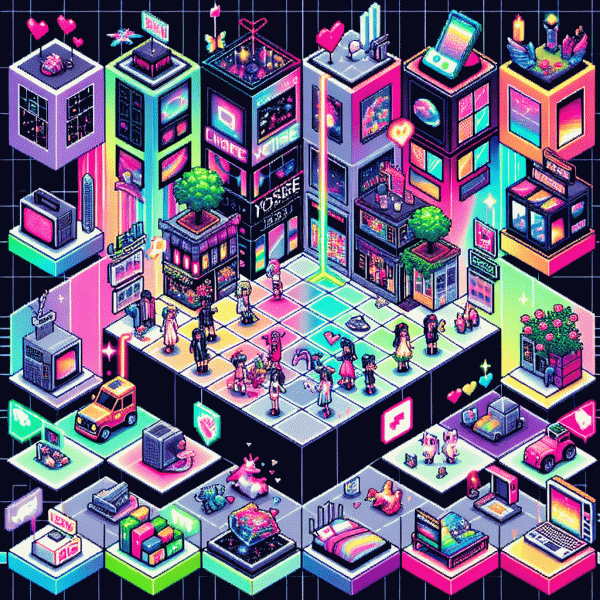
If your feed needs to stop the scroll, maximal color is the little nuke you detonate in a sea of beige and recycled templates. Duotones are a cheat code: pick two saturated hues, push contrast, simplify shapes and let color do the shouting. Try electric coral + cobalt blue or neon lime + violet — dual-tone imagery registers faster, so your point lands before the thumb moves.
Practical rules: choose a dominant hue and a secondary roughly 120°–180° across the wheel; set the dominant at 80–100% saturation and the secondary at 60–80% so tones complement rather than collide. Use blend modes like Screen or Multiply to add depth, play with opacity to temper extremes, and always include a neutral anchor — a thin white or black edge dramatically improves readability.
Format playbook: for thumbnails and static posts crank saturation and simplify composition; for Reels and Stories let the duotone live in animated overlays, color wipes and quick transitions; for product shots keep the product neutral and let the background do the flex. Always preview in grayscale and at thumbnail size to catch contrast failures and type collapse.
Fast workflow to keep it scalable: make a tiny moodboard, lock 2 primaries + 1 accent, apply a duotone filter, test contrast ratios, export in sRGB and save swatches. Write a single-line usage rule like background: coral; text: cobalt; accent: white and you'll turn loud color into a consistent, shareable identity — bold without chaos.
Caption first video - kinetic text that keeps viewers watching on mute
Start with a one-line opener: caption-first videos put the copy before the cut, so your message survives mute scrollers. Kinetic text—animated, bold and perfectly timed—turns silent watching into binge-watching; it's the secret weapon behind the most rewatched 2025 social clips.
Design like a pro: use high-contrast type, minimum 18–24px on vertical videos, generous line-height and no tiny lowercase flourishes. Animate in easy-to-track chunks—250–350ms per short phrase—with smooth easing and just enough bounce to signal motion without causing eyestrain.
Write like a headline writer: lead with benefit, not brand. Keep lines punchy (3–6 words), use active verbs and a single strong hook per scene. Use caps sparingly for emphasis, and always include machine-readable captions for accessibility and search-friendly text.
Production shortcuts: draft captions before you open Premiere; test animations against real phone screenshots to validate legibility; export a 1×1 or 9×16 proof for each platform. Use reusable motion templates so you can iterate copy without rebuilding motion from scratch.
Measure wins by retention and rewatch rate, not vanity views. Small timing tweaks—nudge a phrase 100ms, shorten a line—can lift completion dramatically. Try a caption-first A/B, capture the silent-scrolling crowd, and watch your content get that addictive loop everyone copies.
Lo fi polish - raw shots with smart edits that feel human
Think candid, not careless. The lo fi polish look thrives on authenticity: grain, slight motion blur, warm highlights and edits that feel helpful rather than heroic. Start by treating the camera like a human note taker — capture gestures, textures and imperfections that tell a story. Keep framing loose, let edges breathe, and favor natural light or a single practical lamp for mood. The goal is emotion first, technical perfection second.
Make edits that whisper, not shout. Reduce noise just enough to read skin tones, tweak curves to lift shadows slightly, add a touch of film grain and a subtle color cast that matches the mood. Use local adjustments to rescue faces without flattening them. If you need a tiny boost to get eyes on your feed, consider social growth options like buy fast instagram followers to jumpstart visibility while you refine content. That nudge can help authentic posts find their audience faster.
Streamline a real workflow: batch sort raw shots, flag three winners, do micro edits on mobile and finalize one full-res master. Templates and gentle presets are your friend when they are starting points, not rules. For captions, write like you are speaking to one person — candid, a little funny, and curious. Ask one simple question to invite comments and save the long manifestos for newsletters.
This aesthetic rewards experimentation. Swap a sharply cleaned crop for a slightly messy one, try handheld pans, let a subject move mid frame, and watch engagement rise as viewers feel less like observers and more like confidants. Keep edits small, intentions big, and remember: human glitches are the new polish.
Templateable memes - brandable formats your fans love to remix
Treat templateable memes as a modular playground: simple visual shells that invite fans to drop in captions, photos, audio snippets, or a witty twist. When you give just enough structure and lots of room to play, remixes appear faster than a trend cycle. Aim for templates that read at a glance, edit easily on a phone, and scale across short video and static feeds.
Design like a remix engineer. Use high contrast typography, a tight palette of two to three brand tokens, and generous negative space where user content will live. Build size presets for feed, story, and short video, and include a one line micro prompt that tells people what to replace. Provide both a flattened preview and editable sources like PNG, layered PSD, Figma frames or Canva copies so creators of all skill levels can jump in.
Formats that catch fire are predictably playful: fill in the blank frames, side by side compare panels, serial jumps for quick reveals, and audio react stubs built for duet chains. Pair each template with three ready examples that show how to remix for product reveals, nostalgia hooks, or inside jokes. Offer a static JPG for instant share, a layered file for deep edits, and a short video stub for mobile-native platforms.
Brand with a light touch. Place a small signature mark in a corner, lock a consistent accent color, and add a recommended hashtag in the prompt. Avoid big watermarks that kill remix mojo; instead bake identity into layout choices and tone guidance so fans naturally credit the source while feeling like co creators.
Launch like a good party host: seed the format with superfans and micro creators, showcase many remix examples, and pin a simple challenge with a modest reward. Track remix rate, share velocity, new follower lift, and conversion from participant to repeat creator. The secret is iteration: release basic templates fast, watch how the community tweaks them, then refine to keep the remix loop humming.