Stop the Cringe: Go Live on Instagram Like a Pro (Without Embarrassment)
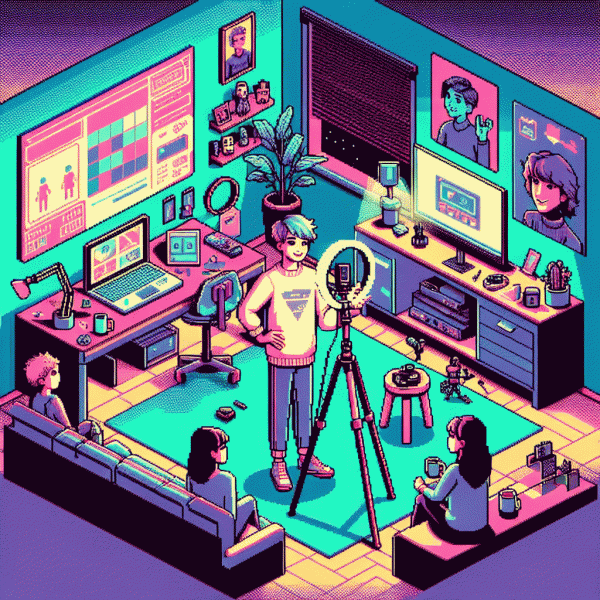
The 15-Minute Pre-Live Checklist: Prep, Prompts, and Panic-Proofing
Think of this 15-minute sprint as your pre-show ritual: a brisk zoom through tech, tone, and talk tracks so you do not freeze at 0:00. Start with the basics — battery, Wi-Fi, mic levels, and screen orientation — then set a simple visual: where you will sit, what is behind you, and one prop that proves you planned this. Close unused apps, check for pending updates, and silence background devices. A tiny muscle of preparation saves major cringe.
Next, lock a three-point plan for content: the hook, one main value, and a tight call to action. Jot those as three bold lines on a sticky note or the phone Notes app so you can glance, not read. Do a quick audio check by speaking for fifteen seconds and listening back, test comments with a friend, and confirm moderation settings. If audio echo is a problem, use headphones with inline mic; if Wi-Fi is shaky, have phone tethering or a power bank ready and run a quick speed test.
Prep three go-to prompts you can pull if chat is quiet: a quick poll, a behind the scenes reveal, and a story that invites replies. Keep a panic phrase like "Let me restart that thought" to smooth stumbles and use on screen text or large sticky notes behind the camera so you can glance without reading. Start recording, have chat moderators or a friend in the green room, and drop a pinned starter comment. If you want an immediate confidence bump, try this resource free instagram engagement with real users to seed early interaction.
In the final five minutes, breathe, smile, and say your opener aloud once. Turn on Do Not Disturb, close notifications, hydrate, and do a mirror check for energy. Walk through a final checklist: mic on, frame good, lighting even, prompt ready, CTA visible, and a simple first question to ask the audience. Step on camera like you belong there; preparation will turn nerves into a performance.
Open Strong: 8-Second Hooks That Make Instagram Stick Around
Think of the first eight seconds as your trailer: if you do not grab attention, viewers swipe. Open with one clear promise or a visual gut punch — a tiny shocking stat, a fast before/after, or a bold action. Start loud, human, and specific so curiosity hooks the viewer before they scroll.
Use simple hook formulas you can rehearse. Promise: "In 60 seconds you will learn X"; Surprise: "I was wrong about Y and here is proof"; Challenge: "Bet you cannot do this in 30 seconds"; Question: "Want to stop wasting time on Z?" Swap words for your niche and keep the wording under eight seconds.
Execution beats ideas, so pair the line with visual proof in frame immediately. Add bold on-screen text that repeats the promise, a punchy sound effect on the reveal, and a quick zoom or motion to create a loop-friendly frame. Cut filler words, keep camera steady on your face or the outcome, and edit the first eight seconds until it snaps.
Test two hooks per week and watch retention metrics to learn what sticks. Rehearse until the opening feels natural, not scripted; then make the rest of the stream deliver the promise. Do this and live streams will feel less scary and a lot more magnetic.
Look Sharp Fast: Foolproof Lighting, Angles, and Audio on a Budget
You don't need a studio to look pro on camera. Stand facing a window for soft, flattering light and avoid harsh backlight; if the sun is too strong, diffuse it with a thin white curtain or a lightweight sheet—instant softbox. At night, a cheap ring light, a bedside lamp placed behind a diffuser, or even a warm LED desk lamp will give a flattering glow. Tip: tap exposure on your phone and lock it so the frame doesn't flicker as light changes.
Angles make the difference between charismatic and awkward. Keep the lens at or just above eye level, tilt the phone slightly down toward your eyes, and frame using the rule of thirds so your eyes sit in the top third. Use a small tripod or stack books and stabilize with rubber bands; moving the camera closer causes distortion, so step back if your face looks wide. Show a little shoulder, sit up straight, and relax your jaw—posture reads as confidence on camera.
Audio matters more than you think. A $10 lavalier or wired earbuds with mic will beat the phone's built-in microphone. Keep the mic near your collarbone, mute notifications, and reduce echo by adding soft fabrics—blankets, cushions, or curtains—around your recording area. If plosives are a problem, a tiny foam windscreen or holding a hand just off-camera can help. Always do a quick 30-second test recording and listen with headphones.
Quick setup checklist: tripod/books, reflector (white cardboard), diffused light, external mic, cleared storage and battery charged. Close background apps, put your phone on Do Not Disturb, and mark your sweet spot on the floor. Do a one-minute rehearsal to fix energy and cadence. With these cheap, practical tweaks you'll look and sound ready to go live—no cringe, just great takes.
Keep It Classy: Handling Comments, Trolls, and Awkward Silences
Think of live comments as a backstage pass, not a heckler megaphone. Greet people by name, read a neat comment aloud every few minutes, and treat engagement as the show’s engine. Reward helpful or funny comments to set the tone and encourage more of the same from your viewers.
Prep a small moderation plan before you hit go: set Instagram comment filters, enable slow mode when chat gets noisy, and appoint a co-host or trusted viewer to flag trouble. Pin a short comment with house rules and a clear CTA so new arrivals instantly know what to do and what will not fly.
Memorize a few defuse phrases and 10–20 second segues: "Great point—let me show you…" or "Love that—what is your take?" Acknowledge divisive comments briefly, then pivot to a prepared segment, a viewer shoutout, or an on-screen demo. If someone repeatedly derails the stream, mute or block and move on—escalation is optional.
Keep these pocket tricks handy:
- 💁 Fallback: start a quick behind-the-scenes story when chat goes quiet.
- 💬 Icebreaker: run a one-word poll—emoji replies are fast and fun.
- 🚀 Prompt: read a comment and turn it into a mini Q&A or demo.
Rehearse with mock lives, save short fallback clips to play if needed, and always have water—nerves dry out voices and jokes. After the stream, scan comments for patterns, thank repeat contributors, and tweak your opening questions so the next live feels smoother. Practice makes polished, and polished is the new un-cringe.
Make It Pay: CTAs, Pinning, and Replay Tactics That Convert
Start with a crystal clear CTA: tell viewers what to do in one short sentence and repeat it. Use on-screen text, a verbal CTA in the first minute, and a visible countdown for limited deals so people act before interest fades. Keep it binary—"Click link in bio" or "Use code LIVE20"—and avoid multi-step asks that lose attention.
Pin a single comment that amplifies that CTA and update it as the show evolves. Since deep links do not work in comments, point people to your bio and use a persistent anchor like affordable instagram followers as an example of a one-click offer that scales reach. When views spike, repin that comment so newcomers immediately see the deal.
Optimize the replay to keep converting after the live ends: trim long intros, add chapter timestamps in the caption, and place the CTA in the first 15 seconds of the replay so skimmers see it. Add a pinned comment on the saved video with the same CTA, and repurpose a high-engagement clip as a Reel to funnel viewers back to the full replay.
- 🆓 Free: offer a low-commitment lead magnet to remove friction for first-time buyers.
- 🚀 Fast: provide a single-step checkout or promo code to prevent dropoff.
- ⚙️ Repeatable: schedule a replay push and keep the CTA pinned for 24 hours to turn casual viewers into conversions.