Live Content on Instagram Without the Cringe: Steal These Pro Moves
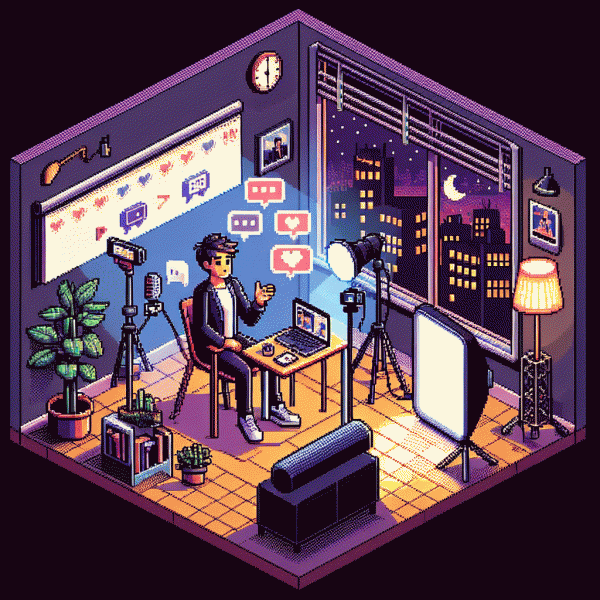
Prep Like a Pro: A 10-Minute Run-of-Show That Saves Your Reputation
Treat this like a preflight checklist for a ten minute runway: phone charged and on airplane mode with Do Not Disturb enabled, earbuds or lapel mic connected, camera at eye level, soft light on your face, background tidy, title and pinned comment ready, moderator assigned or plan for how to handle trolls. This short ritual prevents the awkward fumbling that kills momentum.
Minute 0–1: Power on, gear check, quick frame and audio test while greeting the first viewers by name. Say a one sentence promise about the value they will get to prime attention. Keep energy up; viewers judge confidence in the first 30 seconds.
Minute 1–4: Deliver a sharp hook and a rapid value drop. Use a micro-structure: claim, demonstrate, proof. Move fast and visual; show the thing, tell why it matters, and give one concrete takeaway they can use right away. This is the meat that earns watch time.
Minute 4–9: Open for live interaction and deepen the example. Pull a viewer question, perform a short demo, and read a couple of comments aloud to build rapport. If engagement lags, prompt with a quick poll or a yes/no call to action. At minute 8 signal the closing so people know to stick around for the CTA.
Minute 9–10: Close with a crisp call to action — subscribe, follow, download — and tell them exactly what to do next. Thank the audience, pin a followup comment with next steps, and end on a friendly note. Rehearse this ten minute run once and it will feel like muscle memory when you go live.
Lighting, Angles, and Audio: Look HD Even on a Coffee Budget
Lighting is the fastest way to fake a pro setup when your budget is a latte. Face a big window for soft, even light and avoid overhead bulbs that carve dark eye sockets. Bounce light with a cheap white foam board or the back of a baking sheet to fill shadows. If you need a warm glow for mood, clip a paper lantern over a cheap lamp and diffuse with baking parchment for silky highlights.
Angles need less drama than you think. Keep the camera at eye level or slightly above to stay flattering; tilt the phone into a slight portrait crop so viewers do not stare at the ceiling. Stabilize with a tripod or a stack of books and nail the rule of thirds for composition. For fast growth, pair polish with smart promotion by visiting get instagram marketing service for a simple lift when launches matter.
- 🆓 Free: use window light, stand 2 to 4 feet away and angle face toward the source.
- 🐢 Budget: DIY diffuser: lamp, parchment, and a white sheet as reflector for soft light.
- 🚀 Pro-looking: one small LED panel with dimmer and a cheap lavalier mic for crisp vocals.
Audio wins converts. Clip a lav mic to the collar or record with the phone mic close to the mouth to cut room echo; if you have only a headphone mic, it still outperforms distance. Deadproof your sound by softening hard surfaces with a blanket or pillow behind you and test levels before going live so you never sound distant. Run a five minute rehearsal to check light, angle, and audio so performance stays natural not awkward.
Hooks That Stop the Scroll: Openings That Keep Viewers From Bailing in 8 Seconds
First 8 seconds decide if viewers stay or swipe. Treat your opener like a headline: shock, solve, or tease. Lead with a tiny story, a bold stat, or a tactile question that makes thumbs pause. Pair that line with a fast visual cue so expectation forms before attention fades.
Want ready to use formulas? Try three compact scripts you can rehearse: Shock: drop a surprising number then react, e.g. "I lost 10k followers and learned this". Tease: pose a problem and promise the fix, e.g. "Here is what almost ruined my brand". Action: show the move first then explain, e.g. "Watch this 3 second tweak, then copy it".
Use production tricks that back the hook. Start with close up motion, punchy color, and caption the key phrase so mute autoplay still converts eyes. Cut to the payoff quickly and avoid long setups. For fast templates and inspiration visit best instagram boosting service to see proven opener structures you can swipe.
Finally, test like a scientist. Run A B tests on 3 openers, track retention at 3 and 8 seconds, keep the top performer and lean into it. Rehearse until the delivery feels natural and the cringe evaporates.
Chat Chaos to Crowd Control: Managing Comments Without Losing the Plot
Live chat can feel like a stadium mosh pit—loud, thrilling, and chaos-prone. Decide how you want the room to behave: welcome questions, ban sales pitches, or keep it strictly Q&A. Use Instagram's moderation tools before you go live: enable keyword filters, pin an opening comment that sets tone, and prep canned answers to paste so you don't stare at a sea of question marks.
Choose people-powered control: appoint a co-host to shepherd the comments or hand off the screen briefly to answer messy threads. Brief them on priority questions, which comments to pin, and who to remove. If you don't have extra hands, designate time stamps—intro, demo, Q&A—and tell viewers when you'll address comments so you own expectations and can focus on delivering value without constant context-switching.
During the broadcast, batch common questions and acknowledge viewers with short shout-outs instead of trying to answer everything. Pin high-value comments to keep the convo on track and don't hesitate to hide or block repeat offenders; protecting vibe trumps being an all-accepting host. Use short, clear transitions like 'Next: product tips' or 'Now: audience Q&A' so viewers follow where the story is going.
After the stream, save the best comment threads as captions or story highlights and follow up on unanswered questions with a quick post. Treat each live as practice: tweak your pinned prompt, refine canned replies, and train your moderator. Over time your chat will stop feeling chaotic and start acting like an engaged audience that actually helps you sell, educate, and entertain—without the cringe.
Turn Live Into ROI: Repurpose Clips, Captions, and CTAs That Convert
Record the whole session but think like an editor: pull 10–30 second highlight clips that show emotion, surprise, or a clear takeaway. Add captions and a strong hook in the first 3 seconds so viewers do not scroll past. Export vertical slices optimized for Reels and Stories, and keep the audio loud and clean.
Turn one clip into five caption tests. Use a curiosity opener, a bold benefit, a short how-to, a testimonial pull, and a question that invites replies. Write captions that double as micro-scripts for subtitles — short sentences, line breaks, and one clear call to action per post. Test emojis and hashtags sparingly.
Make CTAs frictionless: ask for one tiny action (watch, save, tap the link sticker), not a shopping list. Use action words, scarcity only if true, and always give the next step: where to buy, how to book, or what to DM. Pin the best CTA as a comment and add a static image thumbnail for paid boosts.
Distribute with intent: feed posts for discovery, Stories for urgency, Reels for algorithm reach, and email snippets for conversions. Repurpose transcripts into carousels and blog posts to capture search. Measure ROI by watch-through, click-through, and conversion rate per clip. Keep a one-week test cadence and iterate based on the top-performing angle.