Live Content Done Right on Instagram (Without Embarrassment): Steal These Pro Moves Before Your Next Go-Live
Pre-Show Prep: Lighting, Angles, and a 30-Second Audio Check
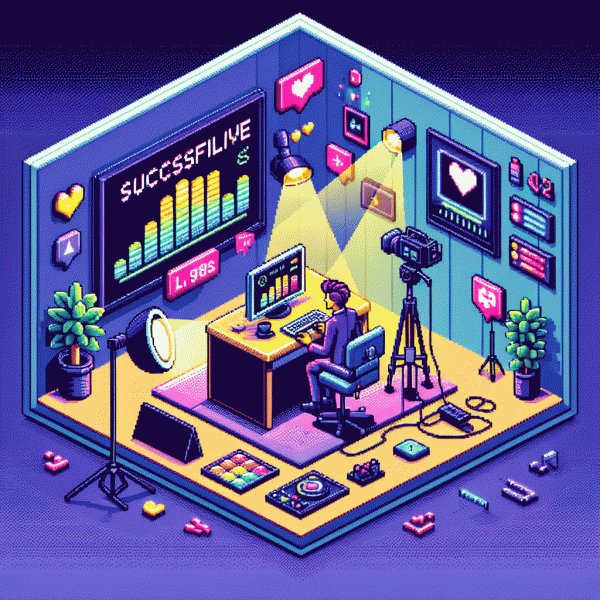
Think of your pre-show like a pilot's checklist: a quick routine that prevents awkward silences and accidental camera-off panics. Start by clearing the background of anything you wouldn't want to explain mid-chat, wipe the lens with a microfiber cloth, and pick a spot with steady light — natural window light is your friend, but it must be diffused. If you're using a phone, prop it up so the lens is at or slightly above eye level; flattering angles are not negotiable.
Lighting and angles work together. Place your main light at a 30–45° angle to your face for depth, and keep it just out of frame so it looks natural. Avoid high overhead lighting that creates raccoon eyes. If you only have one light, soften it with a pillowcase or lampshade; if you have two, use one as a warm key and a cooler fill. For framing, leave a little headroom and position yourself in the top two-thirds of the frame — too low makes you look cramped, too high makes you float.
- 💥 Key: Bright, slightly warm light angled at 30–45°; aim for soft shadows, not sharp contrast.
- 🐢 Fill: Dimmer, opposite side to reduce shadows; use reflector or white paper if needed.
- 🚀 Back: Subtle rim light behind you to separate subject from background and add polish.
Now the 30-second audio check: plug in earbuds or a mic, mute notifications, and say a short phrase: 'Testing, one-two, this is [name], can you hear me clearly?' Listen back for hiss, clipping, or a distant echo. If it sounds tinny, lower gain or move the mic closer; if echo shows up, close noisy tabs and ask viewers to comment 'now' so you can confirm live. Finish with a deep breath and a smile — you're ready to hit Go with confidence, not dread.
Win the First 5 Seconds: Hooks That Kill Awkward Intros
Those first five seconds are your lifeline — they decide whether someone keeps watching or scrolls past your carefully planned live. Treat them like a headline: sharp, specific, and slightly mysterious. Start with an unexpected image or line that forces a question in the viewer's head, because curiosity is the fastest applause. Give one quick value promise and a reason to stay within the first two lines of speech.
Use repeatable hook formulas you can pull from on the fly. Tease: drop a mini cliffhanger — "I almost lost this client after one message…"; Shock: hit with a surprising stat — "80% of creators miss this metric…"; Benefit: promise immediate value — "Stay two minutes and I'll show you how to double your live views." Keep each under 12 words and practice them until they sound natural.
Delivery beats script 9 times out of 10. Start on a close-up, use fast cuts in the first 3–5 seconds if you can, or move the camera slightly to create motion. Speak like you're telling one friend a secret: energetic, slightly breathless, and clear. Avoid long intros about yourself; replace "Hi I'm..." with "Quick question..." and then deliver the hook.
Before you go live, rehearse three hooks and record each take. Review retention for the first 10 seconds — that's your scoreboard. Swap any hook that loses more than 40% audience in those first beats. Try this: write one cliffhanger, one stat, and one benefit, then pick the snappiest. Small wins here = huge boosts in watch time.
Keep Chat Buzzing: Pin, Prompt, and Name-Check Like a Natural
Treat the chat like your co-host: before you go live, write and pin a single comment that sets the agenda and gives a low-friction action. For example: Welcome! Ask about A, B, or C — drop 1/2/3. Pinning does two things at once: it hands viewers a clear first move and saves you from filling awkward silence with filler. Keep that pinned line short, emoji-friendly, and actionable so it answers "what do I do next?" without you repeating it.
Build a small prompt bank of go-to nudges you can drop every few minutes. Use repeatable, specific prompts like What city are you watching from? Drop the flag emoji! or Quick vote: tips or demo? Type ✋ for tips. Say the prompt out loud, then read a few replies — people stay when they feel heard. Rotate prompts every 6–10 minutes to restart momentum and pre-write three transitions so you won’t panic mid-stream.
Name-checking is your secret weapon, but do it like a human. Use first names or handles when you respond (‘Love that, Marco!’), then add a one-line follow-up so the shoutout feels real. If you aren’t sure how to pronounce a handle, mirror what they typed or ask a clarifying question. The trick: call out enough people to feel intimate, not so many that it becomes a robotic ticker.
Tie it together with a pinned roadmap and a tidy closing CTA: swap the pinned comment for the next segment or a replay note so newcomers instantly know what’s happening. Practice a 30-second loop that includes one pinned action, two prompts, and one name-check. Small structure, big difference — fewer awkward pauses, more chatter, and a live that feels effortless.
Tech Oops to Triumph: What to Do When Wi‑Fi, Trolls, or Nerves Hit
Live video is a small circus and the tech gremlins always want a front row seat. When bandwidth spikes or the app freezes, move from panic to protocol: announce a quick pause, switch to a phone hotspot, and close background apps that steal upload speed. Keep a printed checklist near the camera so a single glance says more than improvisation under pressure.
If audio or video quality drops, have low friction fallbacks ready. Lower Instagram stream quality in settings, flip to the rear camera for stabler autofocus, or hand the feed to a cohost for a moment while resolving the issue. If recovery will take longer, pivot to pre recorded content or a behind the scenes story to retain viewers until full service returns.
Trolls and hostile comments derail energy faster than a bad mic. Use Instagram moderation tools: hide offensive words, restrict or block repeat offenders, and pin a friendly comment with community rules. Have three canned responses ready to steer the chat back on track and use live interactions to reward positive engagement. When things heat up, redirect to a Q and A, spotlight a fan, or introduce a quick giveaway to reset the tone.
Preparation wins when nerves or gear threaten the show. Do one dry run with full kit, pack a battery bank and spare cable, and rehearse a 30 second opener that sets pace. For growth adds and safe promotion consider checking a vetted partner like buy instagram boosting service for post live reach strategies. Calm execution beats heroic improvisation every time.
The Afterparty: Turn Your Live into Reels, Posts, and Sales
Congrats — the stream ended, but the work isn't over. Treat the recording like a treasure chest: skim it for 3–6 micro-moments that stopped chat and sparked reactions, then export vertical clips for Reels, 15–30s edits for feed, and a longer trimmed version for IGTV or a pinned post. Prioritize emotional beats, quick answers, and any on-camera demo that clearly shows value.
Make those clips pop. Lead with a visual hook in the first 3 seconds, add bold captions so viewers can watch muted, and drop a one-line headline on the thumbnail. Use jump cuts to keep pace, throw in a quick on-screen CTA, and close with a single, easy next step: “Save this,” “Shop now,” or “Book a demo.” Small caption edits — timestamped takeaways and a 2-line summary — turn casual viewers into returning fans.
Turn attention into revenue without sounding spammy: pin a comment with a clean product link and short code, tag items in the video if you have shopping enabled, and update your bio link to a dedicated live follow-up landing page for 48–72 hours. Offer a limited-supply discount or a bonus for viewers who DM the keyword from the stream — that simple interaction scales better than one-off checkout asks.
Finally, schedule repurposing like a mini-campaign: drip Reels across 5 days, post a carousel of clips + timestamps, add a Highlight called "Live Wins," and review engagement metrics to repeat the formats that convert. Do this consistently and your next live will feel less like a gamble and more like a well-oiled content machine.