Go Live on Twitch Without the Cringe: Steal These Pro Moves
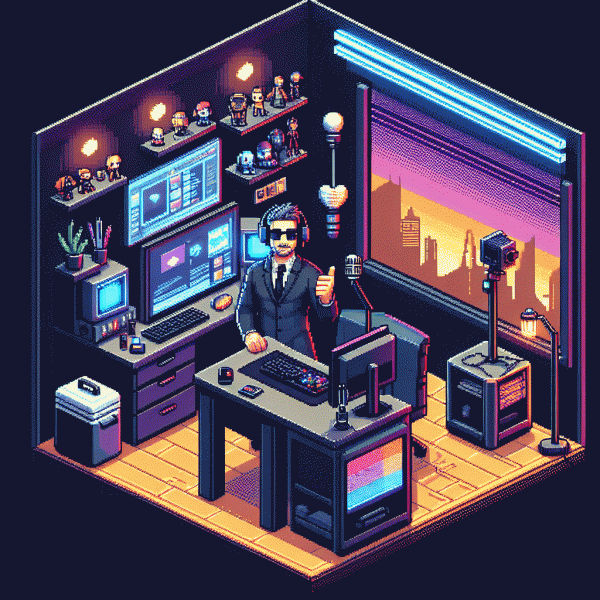
The 10-Minute Prep Ritual That Saves You From On-Camera Panic
Ten minutes sounds tiny, but applied right it's the difference between a shaky opening and a confident entrance. Treat those 600 seconds like a mini show run-through: set the mood, lock the tech, prime your voice and brain for charisma. This ritual isn't about perfection — it's about creating predictable calm so nerves don't hijack your best take.
Minute 1–2: mood and background — soft light, tidy frame, a prop that tells a story. Minute 3: audio — pop filter, quick hiss test, headphones on. Minute 4: camera — framing and eye-line, move a sticky note where your face wants to be. Minute 5: title and goal — pick a hook sentence. Keep timing strict; the clock keeps you action-focused.
Minute 6–7: micro-warmups. Two deep diaphragmatic breaths, a 10-second tongue twister, and one line of your intro spoken with three different energies. These tiny reps wake up your vocal cords and personality without turning you into a robot. Smile: it genuinely changes tone and makes you sound more present.
Minute 8: tech double-check — quick OBS scene toggle, hotkey test, bit-rate glance. Minute 9: chat test and overlays, send a single test message. Minute 10: psychological lock-in — visualise one positive interaction and say a short power phrase. Then hit go. The ritual ends with a confident click, not a panicked sprint.
Make this ten-minute routine ritualized: write it on a post-it, rehearse it three times, and watch it become habit. Grab our ready-made Twitch prep sheet to print or keep on-screen and shave off decision fatigue before every stream — small rituals make big stage energy, and your audience will notice the difference.
Airtight Tech Setup: Lighting, Audio, and Net That Just Works
Think of your setup like a wardrobe: when everything fits, the audience notices the performance — not the outfit. Start with camera basics: prioritize a stable resolution and framerate that match your content. Position the camera at eye level with a slight angle so your face reads naturally and viewers feel engaged.
Lighting makes faces look human or ghostly. Aim for a soft key light at about 45 degrees, add a lower-intensity fill to tame harsh shadows, and use a subtle backlight to separate you from the background. Diffuse harsh LEDs, choose 3000–4500K for a warm look, and avoid strong window backlight that ruins exposure.
Audio and internet are not optional style choices — they are table stakes. Use a good dynamic or condenser mic with a pop filter and boom arm, monitor with headphones, and set input gain so peaks stay under clipping. For rock-solid delivery, go wired and aim for at least 5 Mbps upload; if you want quick traction, consider a genuine twitch boost service to jumpstart visibility while you polish tech.
Configure your encoder smartly: hardware encoders help when CPU is busy, target 4500–6000 kbps for 1080p, set keyframe to 2s, and use 48 kHz audio. Lock your scene layout, mute unused sources, and record a local test to catch lip-sync and level problems before you hit the public stream button.
Final drill: reboot your router, run a short private stream to check playback, verify chat latency, and keep a second device on hand for monitoring. The goal is invisible tech — when your gear behaves, your personality can take center stage.
Open Strong: 15-Second Hooks That Stop the Scroll
Those first 15 seconds determine if a viewer clicks follow or scrolls away. Start with a short shock or promise, then deliver immediate value. Example openers include a counterintuitive fact, a bold claim, or a live problem solved in real time. Keep the line tight, avoid filler, and begin with motion—faces and hands work better than static overlays. Make the first breath of your stream feel like the start of something unmissable.
Turn theory into lines you can use. Try: Wait until you see how this low level item wins the boss in 30 seconds; I bet five of you cannot name this pro trick; I am going to fix one common setup issue in ninety seconds; Give me one emote and I will do a speedrun challenge; If you have one minute, I will show you a layout that doubles clarity. Short, specific, and impossible to ignore.
Delivery matters more than cleverness. Speak with a slight urgency, move the camera forward by a few inches, and drop an immediate visual payoff — an on-screen reveal, a bright graphic, or sound effect. Call on chat by name or request one emote to get people typing. If something goes wrong, own it quickly and pivot to curiosity. The goal is to create an emotional hook fast: surprise, intrigue, or immediate usefulness.
Practice these lines like one would rehearse a punchline: time them to fifteen seconds, record, and trim until every word earns its place. Test two hooks across three streams and keep the winner. Small edits in pacing or a stronger first word can double retention. Use this micro checklist before you go live: sharpen the promise, add motion, force a micro-CTA, and record. Try one tonight and watch dwell time climb.
Chat Won't Awkwardly Die: Run Segments, Not Rambles
Chat does not die by accident, it is a format problem. Treat your stream like a radio show with clear tracks: open with a yes/no warmup, move into the main play with a hook every 10 minutes, and finish with a predictable wrap that feeds into the next stream. Predictability breeds participation because viewers know when to drop in, when to speak up, and when to invite friends.
Start by time boxing segments and give each a label viewers can latch onto. Example rhythm: 10 minutes setup and banter, 20 minutes deep play or topic, 5 minutes poll or challenge, 10 minutes Q A. Use overlays and chat commands to signal transitions. Script two one line prompts for each segment so you never stare at the screen wondering what to say. Use a countdown timer for mini games, a bot command for polls, and a pinned message that updates with the current segment name.
Segment templates for fast adoption:
- 🆓 Free: Quick icebreaker — ask one simple choice question and reward the first person who types the answer with a shoutout.
- 🐢 Slow: Deep dive — pick a topic, state 3 talking points, pause for viewer takes, then share a short personal story to invite replies.
- 🚀 Fast: Micro-challenge — 3 minute speed event, leaderboard on screen, instant clip highlight after to create FOMO.
Run these blocks like beats in a song: repeat, tweak, and reuse. After a few streams you will see which templates spark chat, which need shorter runs, and which deserve a remix. The aim is simple — remove awkward silences by design, not by hope.
Crisis Mode: How to Recover From Fumbles Without Losing Face
Everyone flubs on stream — dropped audio, a spicy swear, or accidentally opening last night's browser tabs. First move: breathe and own it fast. A short, genuine line like “That was on me — technical glitch, back in two” resets expectations and keeps trust. Keep your tone light; a little self-deprecating humor goes farther than desperate perfection. Chat forgives transparency; silence and over-editing make things feel bigger.
Next, execute your invisible toolkit. Switch to a pre-made BRB scene, mute problem audio, and let a moderator post the fix status. Have hotkeys and overlays ready so transitions look intentional, not panicked. If something's irreparable mid-stream, pivot to a mini Q&A or storytelling segment — content that requires only you and a webcam can buy time while you solve backend drama. Practice those pivots until they feel natural.
After the stream, treat the stumble as content, not a wound. Clip a short, honest moment and turn it into a highlight with a playful caption; viewers appreciate authenticity and it humanizes your brand. Post a brief recap on socials, pin that clip, and invite feedback — community involvement flips embarrassment into engagement. Avoid deleting VODs unless privacy is at risk; erasing history looks worse than a neat, well-framed apology.
Prevent future faceplants with tiny rituals: quick pre-stream tech checks, a one-sentence apology template for your mod, and a checklist of backup scenes. Rehearse a 30-second recovery spiel so you don't improvise under pressure. Most importantly, remember: a mistake handled confidently makes you relatable and memorable. Streamers who recover well are the ones people come back to — not because they're perfect, but because they're human.