Go Live on LinkedIn Without Embarrassment: Steal This No Cringe Playbook
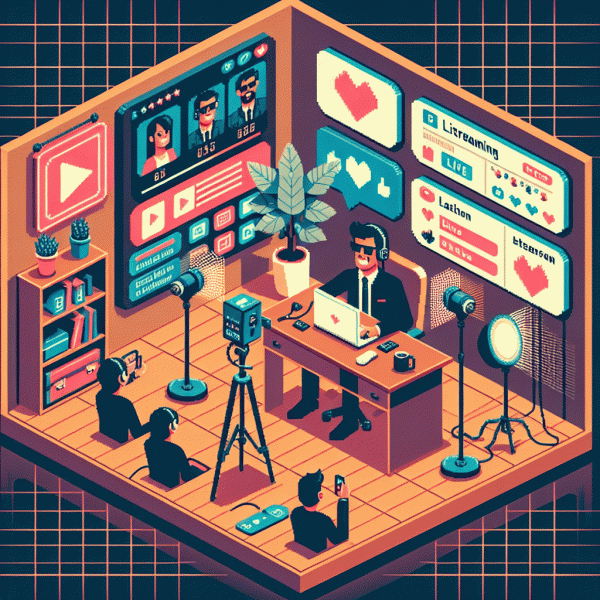
Your 7 minute plan: a before during after checklist that calms the chaos
Seven minutes is all you need to replace cold-sweat panic with calm focus. Think of this as a pocket playbook: quick checks, short scripts, and tiny rituals that make your live presence feel polished instead of phoned in. Use it like a pre-flight checklist before you press the red button.
Before (2 minutes): position camera at eye level, tidy the visible background, and confirm audio levels. Turn off notifications and close unrelated tabs. Type a clear headline and three bullet points in the comment box so you can glance at them. Warm up with one deep breath and a 30 second opener you can deliver without thinking.
During (3 minutes): start with a hook that promises value in plain language, introduce yourself with one line, and state what viewers will gain. Keep energy steady and scan the chat every 60 seconds. If you need a confidence boost or a tiny promotion, consider getting support tools like buy twitch boosting service to kickstart view counts and reduce dead-air anxiety.
After (2 minutes): save the recording, pin a short recap comment with your next step CTA, thank people by name when possible, and drop a follow up post linking the replay. Make a single task list for improvements so you iterate without overthinking.
Need a two line script to lean on? Try: Hook: "In the next three minutes I will show you one thing you can use today." Close: "If this helped, follow and message me to get the replay."
Hook them fast: 10 second openers that stop the scroll on LinkedIn Live
Ten seconds on a LinkedIn Live feels like an eternity and a blink at the same time — treat it like a mini elevator pitch. Start with a tiny crisis or big win, then promise a specific outcome and flash one line of credibility. A simple formula: Shock/Benefit/Credibility. Try the template: “If you're [job/audience], in 10 seconds I'll show you how to [specific outcome] — I did it for [result/stat].” That three-part move tells people why to stop, what they'll get, and why you're worth listening to.
Want raw openers you can swipe? “I helped a VP cut hiring time by 60% — here's the one change they made.” “Stop wasting 10 hours a week on reports — three quick automations in 60 seconds.” “If your inbox is out of control, listen: this five-word tweak reduced my replies by half.” “You're about to see a cold outreach template that booked me $10k in a day.” “Most leaders are doing this wrong — I'll show the right way in 60 seconds.” Use your niche, a number, and a result — no fluff.
Delivery beats copy if you fumble the first beat. Speak with a tiny pause after the shock line, bump energy on the benefit, and flash credibility visually (quick screenshot, one-sentence caption, or a bold on-screen stat). Match your spoken opener to the caption so scrollers who watch muted still get the hook. Keep movement purposeful: point to on-screen text, hold up one finger for “one change,” and smile — confidence is contagious.
Practice in three quick reps: Prep: pick audience + measurable outcome; Hook: deliver Shock/Benefit/Credibility in 10s; Rehearse: record, trim, and use the best take. Do five dry runs before you go live — you'll find the rhythm, shave filler, and keep it un-cringe. Repeat this structure and your openings will stop the scroll, not start the awkwardness.
Look and sound sharp: budget gear and quick set tricks that impress
Camera, light, audio: first impressions matter and live video is unforgiving. Small, smart upgrades make you look intentional not flashy. Focus on a clean frame and simple fixes that reduce nerves and keep the attention on what you say.
Treat your phone like a pro camera: prop it on a cheap tripod at eye level, lock exposure, and frame so your eyes sit on the top third. Remove clutter and add a simple plant or book for depth to avoid that flat, boring background.
Natural window light is the fastest soft key: face the window and move closer for flattering, even illumination. For control, add a small LED panel or a modest ring light behind the phone. For audience growth tips see boost your twitch account for free.
Audio makes or breaks perceived quality. Clip on an inexpensive lavalier or use a USB mic placed a few inches off the mouth. Wear headphones to stop echo and run a 30 second test recording so you know levels before you go live.
Quick setup tricks: turn on Do Not Disturb, close noisy apps, keep water within reach, and use a one minute scripted opener so you never start awkwardly. Move slowly on camera and keep hand gestures steady.
Final mini checklist: eye level camera, soft front light, clear audio, tidy background, one minute opener. These moves make you look sharp and sound confident, even on day one.
Make chat your co host: smooth ways to handle comments trolls and dead air
Treat the chat like a literal co host: warm, helpful, and ready with a one line quip. Before you go live pin a short roadmap and a single sentence about how questions will be handled. Appoint one person as moderator and give them two clear powers: remove and promote. Clear rules and a named human defuse most surprises.
Create a micro script of six stock moves to beat dead air: an icebreaker, a CTA, a one line bridge, a direct audience question, a spotlight move, and a tidy sign off. Keep these on a single card or in your notes app so you can glance and paste. A few rehearsed lines will stop pauses from turning into panic.
Handle trolls with a simple three step sequence: acknowledge, redirect, then mute. Train your moderator to use calm language and to treat escalation as content opportunity. If a comment becomes useful, anonymize it and turn it into a poll or a teachable moment. That strategy protects mood and gains control without drama.
Use chat as a content engine. Pull quotable comments to overlay on stream, spin a popular thread into a mini segment, and ask fans for examples you can feature live. Repurposed chat becomes clip fodder, social proof, and future episode ideas, which means every interaction is an investment.
- 🆓 Prep: draft three openers and three transitions you can paste into chat.
- 🐢 Slow: enable slow mode during heat spikes to regain control.
- 🚀 Spotlight: feature a top comment every ten minutes to reward participation.
Repurpose like a pro: turn one live into posts clips and emails
You just finished a live and your camera roll is a goldmine. Stop treating the recording like a one off event. Think of it as a content factory: a long form post distilled from the transcript, short attention grabbing clips for feeds, and a couple of emails that keep the conversation going. That mindset alone reduces anxiety about needing new ideas.
Capture timestamps in real time or immediately after the stream. Mark the biggest value moments, jokes, objections, and aha lines. From each moment produce three assets: a 60–90 second highlight with context, a 15–30 second hook for scanners, and a quotable text card you can pair with a branded thumbnail. Always add captions, a clear headline, and a one sentence CTA for each piece.
For LinkedIn, turn the transcript into a 300–600 word story with a lead, three bullets of insight, and an explicit invite to comment. For email, craft a three message mini sequence: quick lesson, deeper example, and an invitation to watch the full replay. Reuse headline variants and pull quotes so you can A B test copy without extra creative work.
Batch edit with tools like Descript, CapCut, Canva and Otter for transcripts; set a two hour window to ship four polished assets after the stream. Schedule the posts over two weeks so each live fuels a steady drip, and rotate CTAs and thumbnails to learn what converts. Do this three times and you will never dread going live again, your confidence will skyrocket.