Go Live on Instagram Without Cringe: The Zero-Awkwardness Playbook
The 7-Minute Prep That Saves Your Reputation
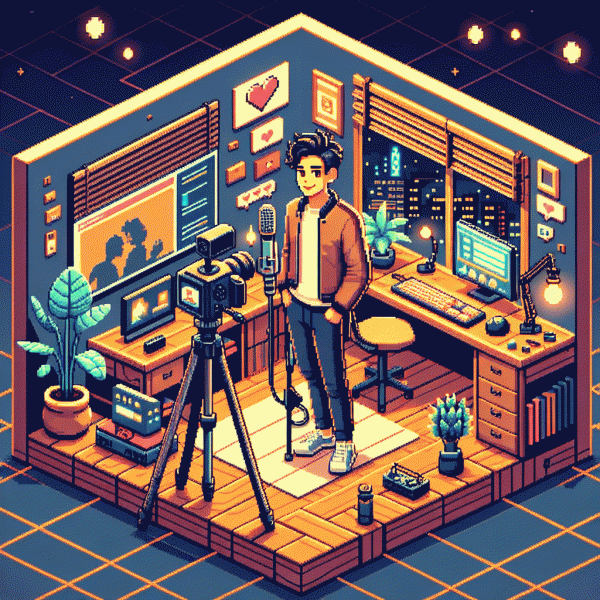
Seven minutes is enough to look calm, competent, and collected on camera. Start a stopwatch: minute one, check microphone, camera framing and battery, and place the lens at eye level with slight headroom. Minute two, silence notifications and close tabs that might steal bandwidth. Minutes three to five, tweak lighting, tidy the visible background, and run a quick sound check; final minute, breathe, smile, and press Go.
- 🆓 Free: reposition near a window or bounce a lamp to remove shadows and warm the skin tone.
- 🚀 Fast: record a 10-second clip to confirm audio levels and pacing before you start.
- 💥 Boost: pick one sharp hook and a single, clear CTA so viewers know what to do next.
If amplification after the live is part of the plan, check a trusted instagram promotion site to schedule post-live momentum without looking spammy; a small, targeted nudge can get the replay to the right audience.
Have a tiny script: a 30-second opener that states value and drops the hook, two 45–60 second talking points, and a place to invite comments. Mark a natural pivot point in case energy dips so you can pivot topics or sign off with grace.
Run one dry run, note where words trip, and keep a cheat-sheet next to the lens. Use wired internet if possible, keep water nearby, and mute devices you do not need. This seven-minute ritual stops awkward moments before they start and keeps the focus on your message.
Look Polished on a Phone: Lighting, Angles, and Easy Framing Wins
Lighting is the fastest upgrade you can make: swap a harsh overhead for a soft, face-forward source and watch attention snap to your eyes. If a window is available, position yourself to face it; indoors, put a warm LED or a small softbox at about a 45° angle to sculpt features without dramatic shadows. Avoid mixed color temperatures, dim the ceiling lights, and keep the light one to three feet from your face for flattering diffusion.
Angles and framing do the heavy lifting for perceived confidence. Hold the phone at or just above eye level to read as engaged, not looming or receding; if your phone’s wide lens is distorting your nose, take a step back and crop in. Use the camera grid to place your eyes on the upper third, leave natural headroom, and frame to mid-chest so gestures register. Small tilt adjustments change the vibe—experiment and pick one flattering angle.
Stability and background are non-negotiable: clamp, tripod, or stacked books keep viewers focused on your message, and a simple textured backdrop beats a busy room. Mute noisy appliances, tuck chargers out of frame, and add a subtle fill light or reflector for depth. Test sound with a lapel or directional mic, save one lighting-and-angle preset that you can reproduce, and when you are ready to amplify reach try an easy growth option: get instagram followers instantly.
Before you go live, run a 60-second rehearsal to check lighting shifts, glare, and how your framing reads when you gesture. Keep a tiny prompt card taped near the lens so your eyes stay connected, and treat each stream like a short episode—same setup, same time, small improvements. Consistency beats perfection; polished visuals reduce freeze-ups and let your personality take the spotlight.
Open Strong: Hooks That Stop the Scroll and Keep Viewers Watching
You get one human reflex on Instagram: swipe. In the first 1–3 seconds you must interrupt that reflex with something sensory, surprising, or emotionally magnetic. Think loud sound, unexpected motion, a bold caption, or a face so expressive it reads mid-scroll. That interruption buys you the next 10–30 seconds—use them to deliver value fast, set expectations, and hint at a payoff that makes viewers stay rather than bail.
Use tight formulas that work on demand. Promise + Proof: name the payoff and show a quick example or visual hook that proves you are not lying; Shock + Context: open with an odd or counterintuitive image and then give one crisp line that explains why it matters; Question + Visual: ask something viewers will mentally answer and then feed that answer back with the first cut. Each opener should be decisive and finish under seven seconds.
Make the technical choices that sell your hook: bold captions in the first frame, a snap cut at 0.6 to 1.0 seconds, a strong close up, punchy ambient sound, and lighting that puts faces front and center. Avoid slow pans and long intros. If you want curiosity, reveal a tiny puzzle piece in frame one, then promise the full reveal at a time stamp or with a clear next step.
Practice three different 10 to 15 second openers and A B test them across your next few lives. Change only one element per test—the first line, the key visual, or the sound cue—so you know what moves the retention needle. Track viewership drop off and double down on winners. Authentic confidence beats polished cringe; lead with clarity and the audience will stick around for the main course.
Master the Chat: Questions, Trolls, and Awkward Silence Made Easy
Think of the live chat as your co-host — noisy, honest, and often generous. Start by setting a one-line expectation in the first minute: how long you'll stay, where to find resources, and one pinned rule like be kind or bye-bye. Tell viewers when you'll answer questions so they don't flood you immediately.
Handle questions like a pro with a simple triage: acknowledge, repeat, answer, or promise a follow-up. Try a short script: “Great question — quick answer: X. I'll drop a timestamp so you can rewatch.” If something needs detail, offer a DM or a post-live resource instead of live-streaming a long tangent.
Trolls want attention; don't give it. Use three moves: ignore small bait, deflate with light humor, or be direct and firm. A canned line like “Let's keep this respectful — next message gets timed out.” combined with ready moderators and mute/block tools keeps you on-camera and in control without drama.
Awkward silence? Flip it into engagement with tiny interactive bits: five starter prompts, a 60-second behind-the-scenes peek, or a quick emoji poll where everyone types one emoji. Read an interesting comment aloud, show a prop, or narrate a short micro-story to fill the gap smoothly.
Use platform tools to your advantage: pin a Q&A comment, enable slow mode during spikes, and assign one moderator to surface good questions while another manages tone. Pre-write banks of short replies — praise, redirect, and firm — so responses are immediate and consistent.
Pre-live checklist: five starter questions, three canned troll responses, a three-minute filler segment, and a pinned comment with ground rules. With that tiny script and a mod on standby, awkward pauses turn into intentional beats and chat becomes your best co-host.
After the Live: Save, Clip, and Repurpose for Weeks of Content
Hit that save button the second the live ends and treat the raw file like treasure. Save to your profile or IGTV, then download a copy to cloud storage so you can edit without panicking about poor connection. While the session is fresh, jot down the best timestamps, pick a cover frame, and write a short blurb that sums up the value—this makes repurposing 10x faster and stops your best moments from evaporating into the algorithm abyss.
Next, slice it up into snackable clips with clear hooks. Scan the recording for 3 to 5 standout moments and export 15 to 60 second vertical cuts for Reels, Stories, and Shorts. Lead with a question or bold claim in the first three seconds, add captions and a branded bump, and create three versions of each highlight: a 15 second teaser, a 30–45 second highlight, and a slightly longer 60 second cut for deeper context. Quick editors like CapCut or InShot make this painless.
Think beyond video: one live can fuel carousels, quote graphics, blog post sections, newsletter tidbits, and even an audio episode. Transcribe the session, pull out quotable lines, and turn those into image cards or image-caption posts. A practical rule: aim to build 8 to 12 distinct assets from a single live so you can drip content across two to four weeks without scrambling for new ideas.
Finally, amplify and measure. Pin the top clip to your profile, add it to Highlights, cross-post to other platforms, and consider a small paid boost for the clip that gets the most saves or watch time. Track retention and saves to know what resonates, then double down. Treat your live like a tree: one strong stream grows many branches. Pick three clips today and schedule them for the week.