Go Live on Instagram Without Cringe: Steal This Foolproof Playbook
Prep Like a Pro: 10-Minute Setup That Makes You Look Studio-Level
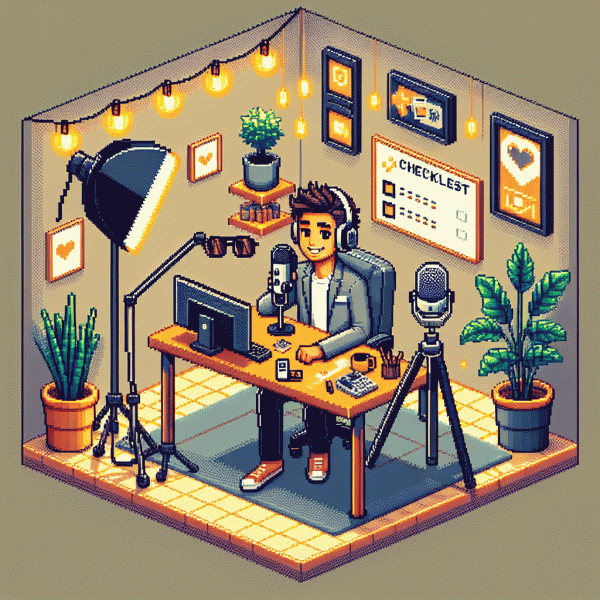
Ten minutes is all it takes to swap shaky, dim, awkward live sessions for something that looks polished. Stage three zones quickly: face, light, sound. Lay out phone, clamp, lamp, and earbuds, then run a short mental checklist: bright face, steady camera, clear audio. That tiny prep prevents 80 percent of live mishaps.
Lighting hacks that feel studio-level: face the window to get soft key light, place a warm lamp off to one side as a fill, and diffuse harsh bulbs with a folded tissue or white napkin. Angle the light slightly above eye level for flattering shadows and avoid ceiling-only lighting that creates raccoon eyes.
For audio and framing, swap fancy gear for smart swaps: use wired earbuds with a mic, or clip a cheap lav; stack books as a quick tripod and frame at eye level. Put the phone on airplane mode and test sound for 10 seconds. Also check overlays and chat settings before you go live — and if you want a little boost, try this resource: free instagram engagement with real users.
Final two-minute routine: run a 30-second tech test, tidy background details, pin a starter comment, mute notifications, and rehearse a warm opener. Lead with energy, not perfection, and use the 5-second rule: if it looks good for five seconds, it will look good for the whole stream.
Hook, Don't Ramble: Openers That Stop Scrolls in the First 5 Seconds
First impressions are brutal on mobile. In the first five seconds you must trigger curiosity, value, or emotion. Open with one small promise, one surprising image, or one bold question that makes viewers stop mid scroll and lean into the frame.
Use short, punchy starters that map to clear outcomes. Try a quick claim plus a time frame like Stop scrolling if you want to learn X in 90 seconds, or a teaser like What you have been doing wrong about Y. Keep sentences under eight words and avoid long setups.
Make the visual part of the hook. Start with a close up, a fast reveal, or a before and after flash. Move the camera, tap an object, or show the result of the thing you will teach. Sound cues and quick cuts increase retention in that tiny window.
- 🆓 Free: Offer immediate value with one tip viewers can use now.
- 🚀 Fast: Promise a result in a short time span and show evidence.
- 💥 Bold: Lead with a contrarian claim that challenges a common belief.
Technical micro fixes make hooks work: use captions for the silent autoplay crowd, point camera eye line to the lens, boost audio a touch, and caption the one line that seals the promise. The first frame must match the caption for cohesion.
Steal this three line opener: 1) Shock claim, 2) Quick proof or demo, 3) Micro CTA like Stay for 60 seconds or Comment yes. Time it, practice it, then cut the rest of the rambling. The opener is the job; everything else supports it.
Chat Magic: How to Spark Comments and Keep Viewers From Ghosting
Start with a tiny ask that anyone can do instantly: a one-word reply, an emoji, or a hot take. Lead with something playful and specific so people don't have to invent effort in the moment — e.g., "Drop one emoji: 🌶️ if you're here for spicy tips, 🌿 if you're here for chill vibes." That low bar converts lurkers into participants fast.
Before you go live, seed the chat with three friendly allies who know the game: ask them to post the first answers, pin one comment, and reply to new people. On-air, use a micro-commitment play: ask viewers to type a single character to vote and then read the top replies. Pin a comment with the ask so late arrivals know exactly how to jump in.
Turn comments into content. Every few minutes scan and call out names, read a funny reply, or riff on a weird answer — this rewards engagement and models the behavior you want. Create a recurring moment (like "Hot Question at :15") so viewers know when to show up and participate. When people hear their name or see their idea on-screen, they'll stick around and invite friends.
Use short, proven prompts you can deploy on repeat: try "One-word: your mood right now?", "Choose A or B: coffee or tea?", and "Tell me one win today — tiny counts!" Keep prompts under 10 words and ask for tiny inputs; long questions kill momentum. Also occasionally toss a cheeky dare or challenge to revive a flat minute.
Measure and tweak: aim for at least one visible comment every 30–45 seconds in the first five minutes by rotating prompts and name-checking. Practice a 3-minute warm-up with friends, iterate weekly, and celebrate small wins. The result: a chat that feels alive, playful, and impossible to ghost.
Fix the Flubs: Live-Safe Ways to Handle Awkward Silence and Oops Moments
Live flubs are not failures, they are improv gold. When a silence or a slip happens, treat it like a performance pivot: pause, breathe, and name the moment out loud so the audience feels included instead of watching a train wreck. That buys time and keeps energy human.
Have three short fallback moves ready and visible on a sticky note: a breathing beat, a one line joke, and a direct question to your chat. Practice these until they land naturally so you are less likely to panic and more likely to turn a stumble into shareable content.
- 🆓 Reset: Take a sip, smile, and say "Quick reset" while you sort audio or notes.
- 🐢 Slow: Use a calm filler line like "Let me think aloud for a second" to own silence.
- 🚀 Fast: Drop a micro-story or a chat shoutout to shift momentum instantly.
Technical oops moments need simple triage: mute, fix, test. Tell viewers what you are doing and why, ask a mod to read comments while you work, and if needed switch to a backup phone or plan B topic. Transparency builds trust.
Finish with a quick recap of what happened and a playful wink. Embrace the weird, rehearse recovery moves, and you will keep streams watchable and worth repeating.
Replay Gold: Turn One Live Into Reels, Posts, and DMs That Sell
Your Live replay is a treasure chest, not a one time event. Treat the recording like raw ore: scan for bright veins of value (questions, reveals, objections, and on camera wins) and mark timestamps. Those moments become the seeds for short clips, captioned posts, and DM gold.
Speed through the replay at 1.5x or 2x and listen for signals: audience laughter, repeat questions, and any moment where you explain a step clearly. Pause, note the start and end time, and give each clip a purpose label like Hook, How To, or Proof. That label will save hours in the edit.
For Reels, aim for 15 to 30 seconds with the hook in the first three seconds. Open with a bold line, add on screen captions and a quick cut to the result or example. End with a clear micro CTA such as DM me the word START or Save this. Export vertical, add punchy captions, and test two thumbnail options.
Turn longer answers into carousel posts: slide one states the problem, slide two shows the short solution, slide three is a mini case study, and the final slide is an invitation to chat. Use the exact snippet from the live as a pull quote to keep authenticity and reduce writing time.
Convert interest into conversations by sending short, personalized clips into DMs. Use a three message framework: friendly opener, 10 second clip addressing their pain, and an engaging question to prompt reply. Keep messages human and specific to the person or comment you are replying to.
Make it repeatable: set a 90 minute weekly edit block, name files with date_topic_timestamp, and batch write three captions per clip. Track which clip type drives replies and double down. With a simple system you will turn one confident live into a week of content that actually sells.